

By Mark Brown, Co-executive Director (mark.brown@skipatrol.ca)
New and returning patrollers will be using our updated CSP Learning Centre for the New AFA Patroller course and for the AFA Yearly Update 1 course respectively.
Returning patrollers – those entering your second year or greater
Yearly Update 1 is the mandatory online learning module, along with an in-person diagnostic assessment and basic life support (BLS) refresher, required to be qualified to patrol in the upcoming season.
What is new?
Access your course by logging into the member website. Once logged in, click on the Learning Centre showing in the top row of the red icons. Once on the Learning Centre landing page, click on ‘+CAS’ button to get to your personal dashboard.
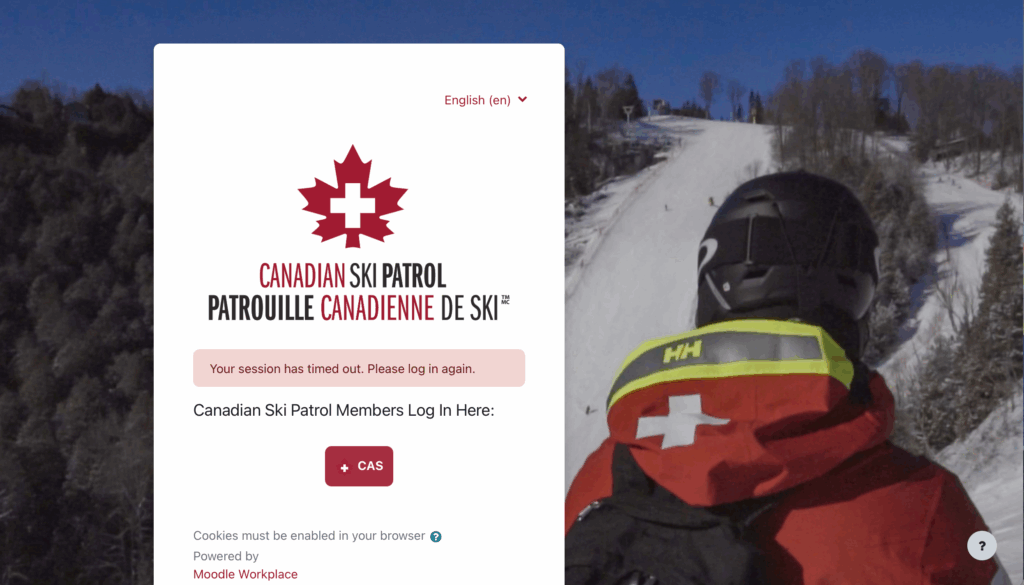
Courses you are already enrolled in will be available, including the necessary Student Resources. Simply select your course and start working your way through it.
Once all modules are successfully completed, you will automatically have access to your written exam and BLS course. The BLS exam is also part of the online course.
Your Yeti membership profile status is what triggers access/visibility to your courses in the Learning Centre dashboard.
There are three important Yeti profile membership status categories that can trigger whether you will see your upcoming patrol season online learning courses in the Learning Centre:
-
A Yeti membership profile status set as current
-
This status indicates you have paid your membership fees for the upcoming patrol season, and your zone administrator has updated your Yeti membership profile status on your behalf.
-
This status allows you to log into Yeti to see your personal info on your Yeti profile.
-
This status allows you access to your Learning Centre dashboard and to see your required online learning courses.
-
This status allows you to access the content on the member website (skipatrol.ca/members).
-
A Yeti membership profile status set as renewal ready
-
You need to pay your membership fees for the upcoming patrol season, or you have paid your membership fees, but your zone administrator has not yet updated your Yeti profile membership status to “current.”
-
This status allows you to log into Yeti to see your personal info on your Yeti profile.
-
This status allows you to log into the Learning Centre dashboard, but you will not see the upcoming online learning courses you are required to complete for the upcoming winter season.
-
This status allows you to access the content on the member website (skipatrol.ca/members).
-
A Yeti membership profile status set as expired
-
You need to pay your membership fees for the upcoming patrol season, or you have paid your membership fees, but your zone administrator has not yet updated your Yeti profile status to “current.”
-
This status will not allow you to log into Yeti to see your personal info on your Yeti profile.
-
This status will not allow you to log into your Learning Centre dashboard.
-
This status will not allow you to access any content from the member website.
Registration dates vary by zone. So, if you try today and see nothing, it means you have not been enrolled in your course yet by your zone or division. Depending on your zone, you may receive an automated email when you are registered and enrolled in a course for the 2025-2026 season.
Content updates are ongoing
We’re in the process of updating all content to conform with the CSA Z1210 Canadian standard and to reflect our transition to outcome-based learning.
Some modules may be deployed in the next few months; all modules will be completed by a target date of April 1, 2026. This includes interactive quizzes and user control of playback speed, to cite a few features.
Everything is available now via your mobile phone, although it has not been optimized for mobile use yet. You can download modules and complete them offline; they will be synchronized when you login again.
Simply download the Moodle WorkPlace app from the Apple App or Google Play stores, sign in with your Yeti username and password, and you’re good to go.
Acknowledgments
A tremendous amount of work has been done behind the scenes to automate processes and ease enrollment and the administrative workload on your fellow patrollers. A team from across Canada, led by David Russell from Greater Vancouver Zone is working diligently to automate as many of the previous manual processes as possible.
This post is also available in: